
Check 8171 BISP Payment
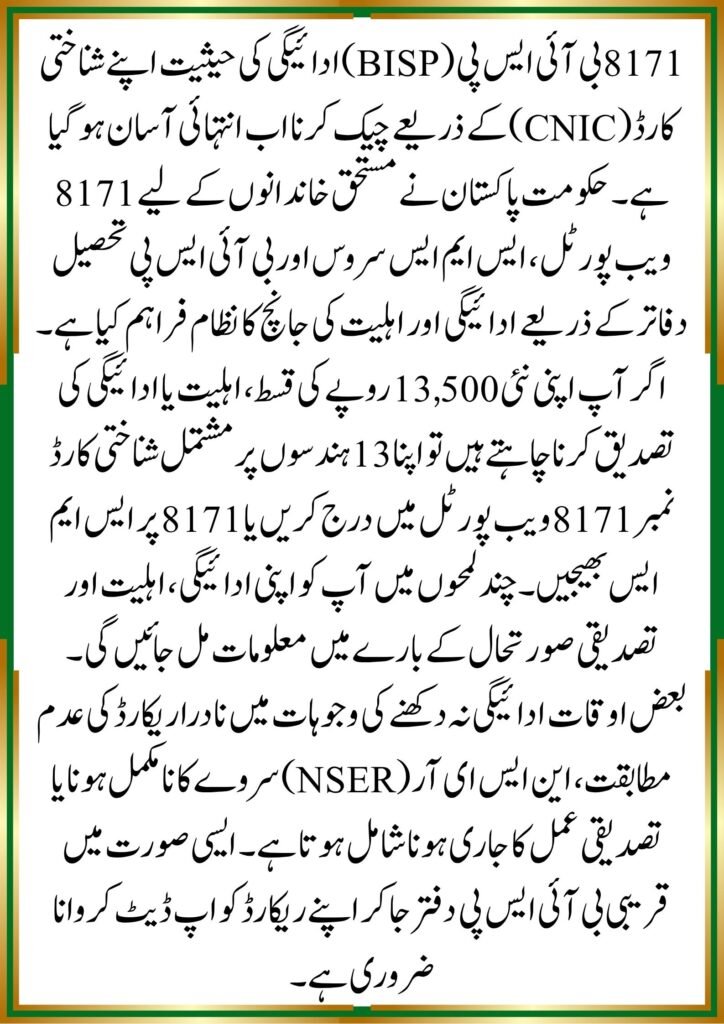
If you’re waiting for your BISP payment and want to know whether your installment has been released, the good news is that checking your 8171 BISP payment status by CNIC is easier than ever. The Government of Pakistan has introduced multiple verification methods that allow beneficiaries to confirm their payment details from home.
Whether you’re checking the latest Rs. 13,500 installment or verifying your eligibility, this guide explains every official method step by step.
What Is the 8171 BISP Payment Status Check System?
The 8171 system is an official verification platform introduced by the Benazir Income Support Programme. It helps registered beneficiaries confirm:
- Payment release status
- Eligibility details
- Registration information
- Survey verification updates
- Installment payment records
The system is designed to provide transparency and reduce unnecessary visits to BISP offices.
Why Checking Payment Status Is Important
Many beneficiaries travel long distances to payment centers without confirming whether their installment has been released. Checking payment status beforehand can save:
- Time
- Transportation costs
- Long waiting hours
- Unnecessary visits
Who Can Use the 8171 Service?
The service is available for:
- BISP beneficiaries
- Ehsaas Program recipients
- New applicants
- Families awaiting verification
- Women enrolled in Kafalat payments
Methods to Check 8171 BISP Payment Status by CNIC
There are several official ways to verify your payment information.
Method 1: Check Through the 8171 Web Portal
The online portal remains one of the fastest methods.
Step-by-Step Process
- Open the official 8171 portal.
- Enter your 13-digit CNIC number.
- Complete the captcha verification.
- Click the submit button.
- Review your payment and eligibility status.
The system instantly displays whether your payment has been approved, released, or is still under verification.
Method 2: Check BISP Payment by SMS
For people without internet access, the SMS service is extremely useful.
Steps
- Open your mobile messaging app.
- Type your CNIC number without spaces.
- Send it to 8171.
- Wait for the response message.
You’ll receive details about:
- Eligibility status
- Payment availability
- Verification requirements
Method 3: Visit a BISP Tehsil Office
If online methods are unavailable, visit the nearest BISP office.
Required documents:
- Original CNIC
- Registered mobile number
- Family registration information
A representative can check your payment record directly from the system.
How to Check the New Rs. 13,500 BISP Payment
The latest BISP installment has increased assistance for eligible families.
Payment Verification Process
Beneficiaries can verify the new payment by:
- 8171 Web Portal
- SMS service
- BISP office
- Authorized payment center
Common Payment Status Messages
You may see messages such as:
| Status | Meaning |
|---|---|
| Eligible | You qualify for payments |
| Payment Released | Funds are available |
| Under Verification | Data review is ongoing |
| Ineligible | Eligibility requirements not met |
| Survey Required | NSER update needed |
Common Reasons Why Payment Status Does Not Appear
Many beneficiaries report that no information is displayed after entering their CNIC.
CNIC Data Not Updated
Your NADRA information may not match BISP records.
NSER Survey Incomplete
An outdated survey often delays payment processing.
Verification Pending
Government databases occasionally require additional verification before payment approval.
offichal website ; https://bisp.gov.pk/
How to Resolve Verification Issues
- Visit the nearest BISP office.
- Update family information.
- Complete a new NSER survey.
- Ensure CNIC records are accurate.
People Also Ask About 8171 BISP Payment Status
How Can I Check My BISP Payment Status Using CNIC?
You can check through the official 8171 portal, SMS service, or a BISP office by providing your CNIC number.
Is the 8171 SMS Service Free?
Standard mobile network charges may apply depending on your operator.
Why Am I Eligible But Not Receiving Payment?
Possible reasons include:
- Verification delays
- Biometric issues
- Survey updates pending
- Technical processing delays
Can I Check Payment Status Without Internet?
Yes. Simply send your CNIC number to 8171 via SMS.
How Long Does Payment Verification Take?
Most verification processes are completed within a few days, though complex cases may take longer.
Expert Tips for Faster BISP Payment Verification
Having reviewed hundreds of beneficiary cases and official BISP procedures, a few patterns consistently emerge.
Keep CNIC Information Updated
A large percentage of payment delays occur because beneficiary records differ from NADRA data.
Complete NSER Surveys Promptly
Families that regularly update their household information generally experience fewer payment interruptions.
Use Official Channels Only
Avoid agents claiming they can release payments faster. BISP services are available through official government channels.
Common Mistakes Beneficiaries Should Avoid
Entering Incorrect CNIC Numbers
Even one wrong digit will prevent the system from displaying accurate results.
Trusting Unofficial Messages
Only messages received from 8171 should be considered authentic.
Ignoring Survey Requests
Failure to complete required surveys may result in temporary suspension of payments.
Future Updates in the 8171 BISP System
The Government of Pakistan continues improving digital access to welfare programs. Future enhancements are expected to include:
- Faster payment verification
- Improved web portal performance
- Expanded biometric integration
- Better beneficiary tracking systems
These improvements aim to make payment checking more transparent and convenient for deserving families.
Conclusion
Checking your 8171 BISP payment status by CNIC is now a simple process that can be completed online, through SMS, or by visiting a BISP office. Before traveling to a payment center, always verify your payment status using official methods. This helps save time and ensures you receive accurate information about your eligibility and installment release.
For the latest updates, keep your CNIC information updated, complete any required NSER surveys, and rely only on official BISP communication channels.
Frequently Asked Questions (FAQs)
1. How do I check my 8171 BISP payment online?
Visit the 8171 web portal, enter your CNIC number, complete the captcha, and submit your request.
2. Can I check BISP payment through SMS?
Yes. Send your CNIC number to 8171 and wait for the official response.
3. What should I do if my payment is under verification?
Visit the nearest BISP office and verify your records.
4. Why is my CNIC showing ineligible?
Your household data may not meet current eligibility criteria, or your information may require updating.
5. Is the 8171 portal available 24/7?
Yes, beneficiaries can access the portal anytime.
6. Can I receive payment without biometric verification?
In most cases, biometric verification is required before payment release.
7. How often should I update my NSER survey?
You should update it whenever there is a significant change in your household circumstances.